
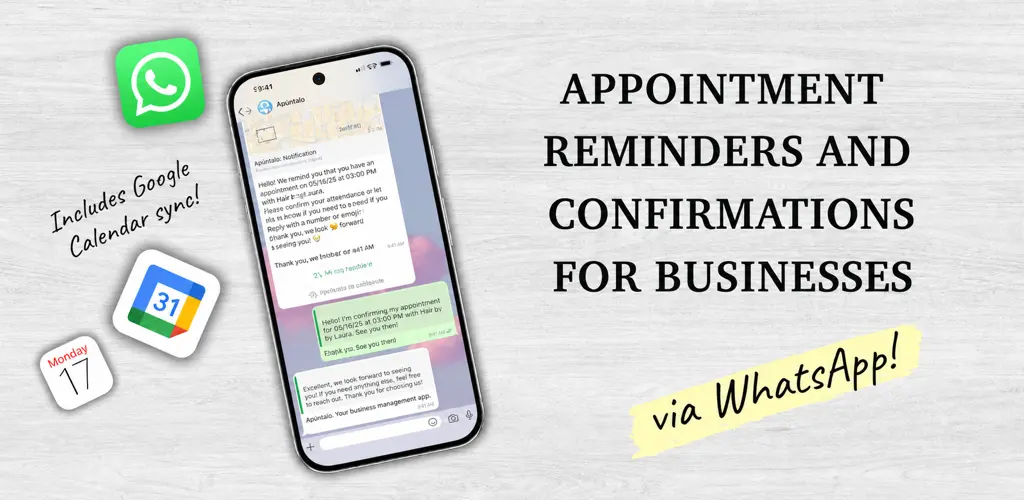
Some appointments are missed because of something as ordinary as forgetfulness. A customer booked weeks ago, got on with life and only checked the time when it was already too late.
Sending one WhatsApp message seems like a small task until the diary starts filling up. Then there are messages sent at different times, scattered replies and confirmations that somebody has to copy back into the diary.
Apúntalo keeps reminders and confirmations with the appointment itself. The customer receives the reminder on WhatsApp, and the business can see the reply without searching through conversations.
What the customer receives in the reminder
Apúntalo sends the reminder at the time chosen by the business. The message can include the appointment date and time, the address and any useful instructions for the visit.
Those details answer the common questions. Was the appointment today or tomorrow? Which location was it booked at? The customer has everything in a chat they already check each day.
If the business changes the time before the reminder is sent, Apúntalo reschedules it. The message uses the current appointment details rather than a time that is no longer correct.
Confirm the appointment without starting another conversation
When automatic confirmations are enabled, the message can include an option to confirm attendance. The reply stays linked to the appointment and its status is updated in the diary.
If the customer sends a normal WhatsApp reply, that message also appears inside the appointment. The team can read it in Apúntalo without working out which booking each conversation belongs to.
The difference is clearest at the start of the day. Instead of opening several chats to check who replied, the business can review its appointments and focus on those that still need attention.
How it works with Google Calendar
If the business already uses Google Calendar, it can keep it connected to Apúntalo. Synchronisation works both ways, and the appointment status can also be checked there. Our guide to the Google Calendar integration explains the full setup.
There is no need to enter the same change twice. The appointment, reminder and calendar follow the same update when a booking changes before the message is sent.
Four details that make a reminder useful
- Check that the customer’s mobile number is correct.
- Choose enough notice for them to reorganise, but not so much that they forget again.
- Include the address or other instructions only when they genuinely help the customer reach the appointment.
- Keep your rescheduling and cancellation policy clear, so customers know what to do if they cannot attend.
A reminder can prevent some forgotten appointments, but it cannot guarantee attendance. It will not fix a wrong phone number or an unclear cancellation policy either.
When it is set up well, the reminder is no longer a message somebody has to remember to send. It becomes part of the appointment and keeps the reply with the rest of the details.
Discover Apúntalo and try a diary with WhatsApp reminders and confirmations.